Your whole 5S system. One person. One afternoon.
Map your company, create a workstation standard in minutes and run audits that improve the workplace instead of blaming people. No full-time specialist needed, and one price for the whole company.
Or download the free 5S audit checklist →A good standard is a photo and a few lines. Not a binder.
Most companies don't have a dedicated 5S coordinator to write, print and laminate documents. So the standards never get made, or never get updated. 5Sense keeps them short enough that anyone can do it between other jobs.
- 1Write a multi-page document in a template.
- 2Lay out photos, get it approved, print and laminate.
- 3The workstation changes. Start again.
- 4Hours per workstation. Most never get done.
- 1Take a photo of the workstation the way it should look.
- 2Add a few lines: what goes where, what to check.
- 3Something changes? Swap the photo. Everyone sees the new version.
- 4A few minutes per workstation. Always up to date.
Three steps. All in one place.
Describe your company
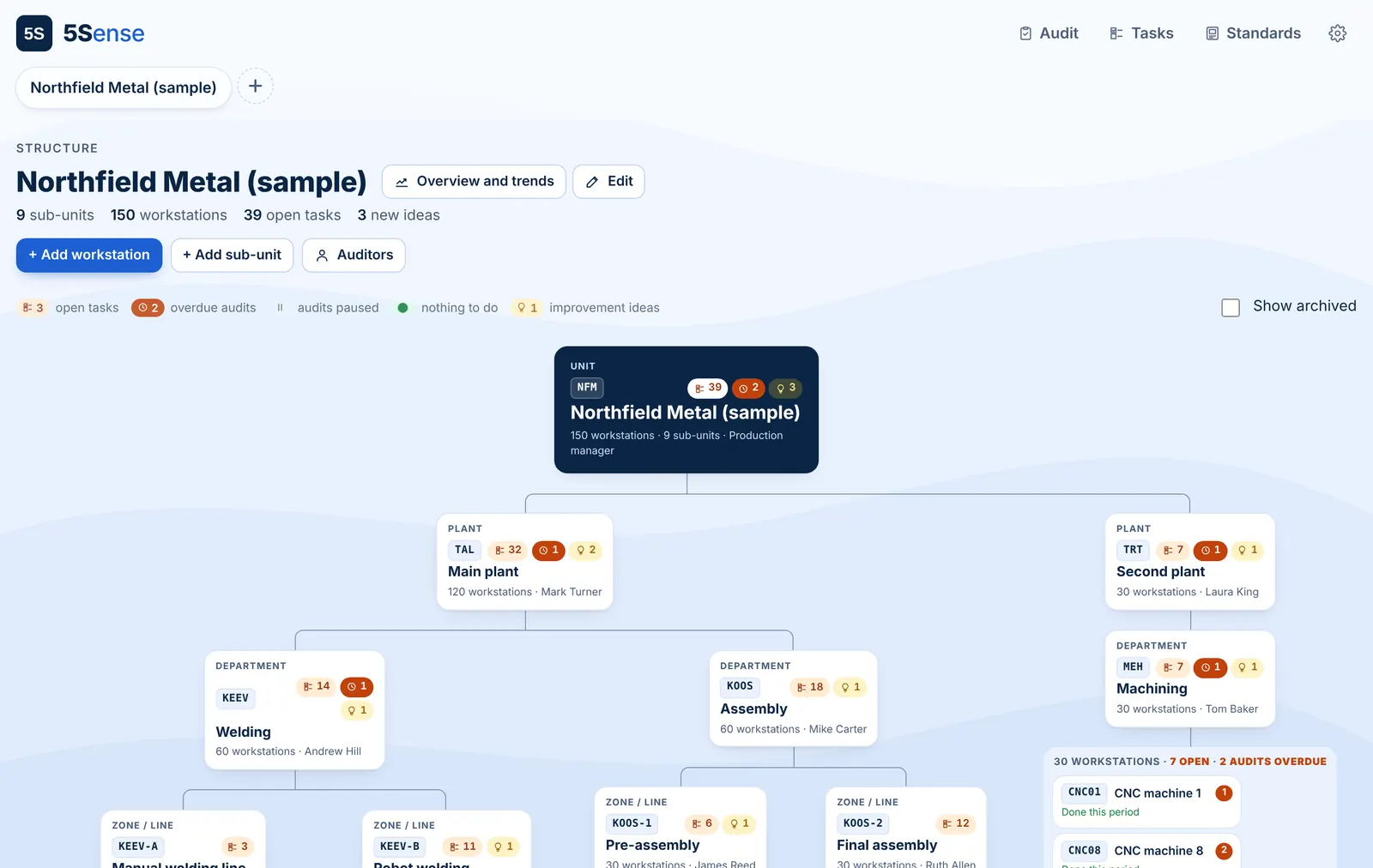
Add your sites, departments and workstations. See the whole structure on one screen, with the status of every workstation at a glance.
Create standards
One photo and a short description per workstation. Done on a phone in a few minutes, and changed just as fast.
Audit and improve
Walk the floor with your phone, compare each workstation to its standard and note what could be better. Each note becomes an improvement task.
What 5S looks like when it holds
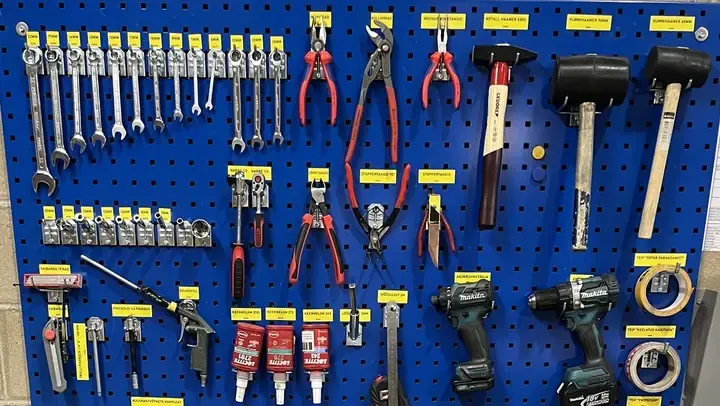
A good standard is simple: everything has a place, and anyone can see when something is missing.
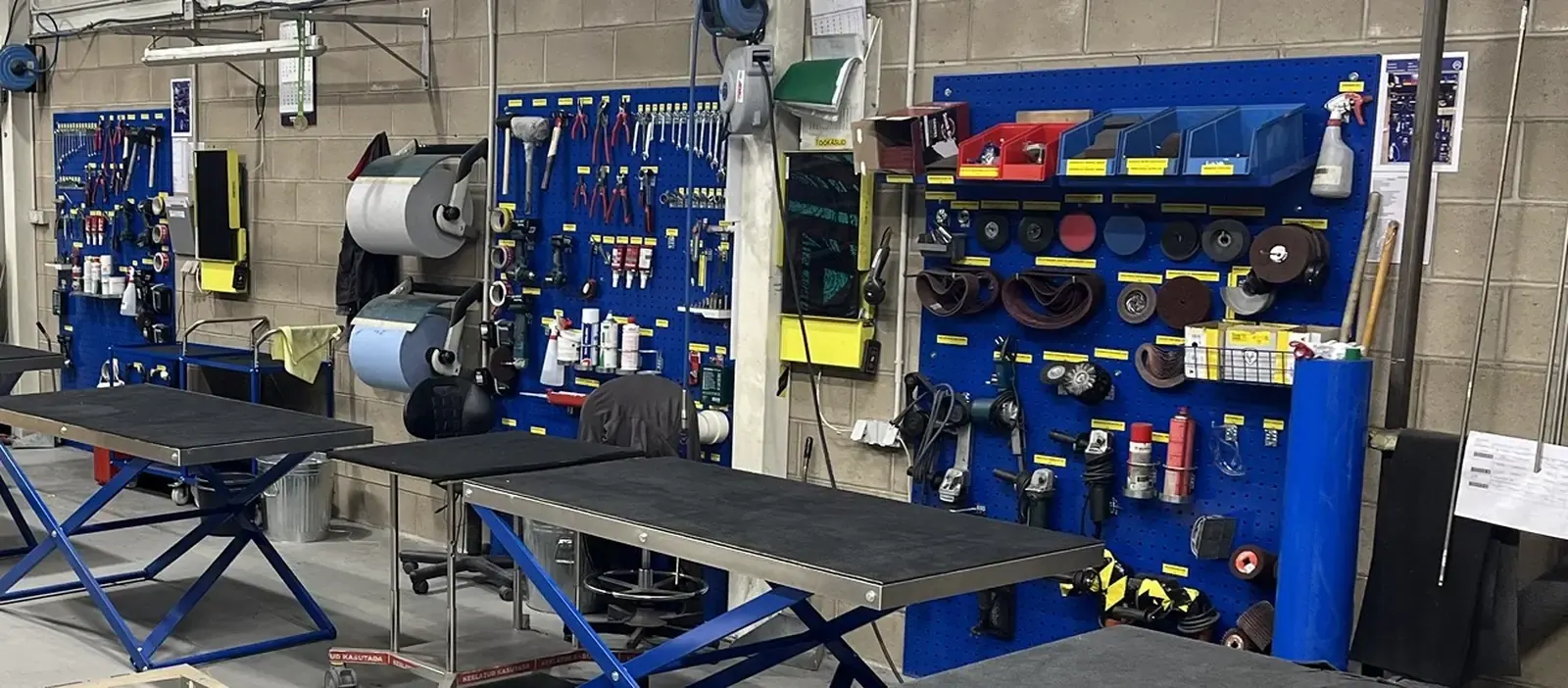
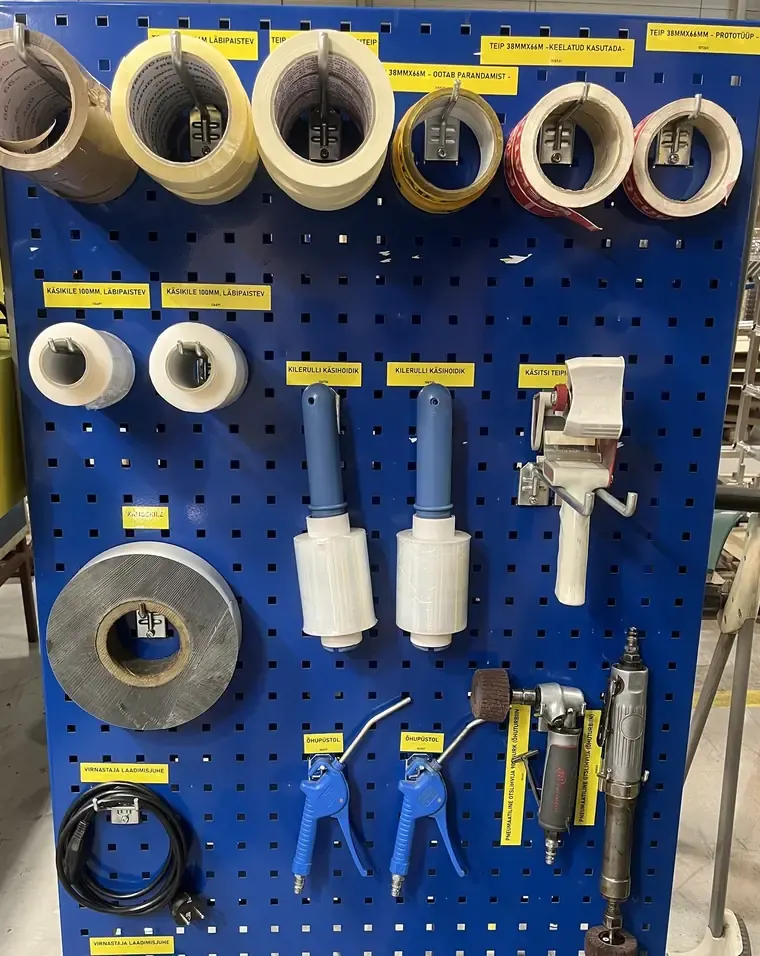
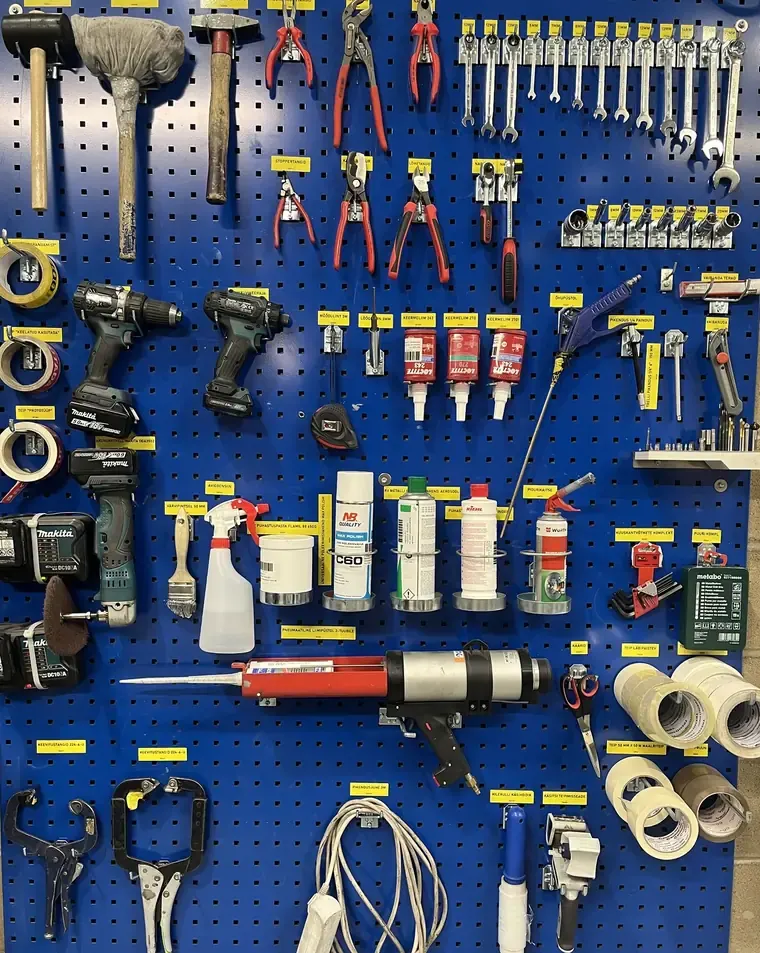
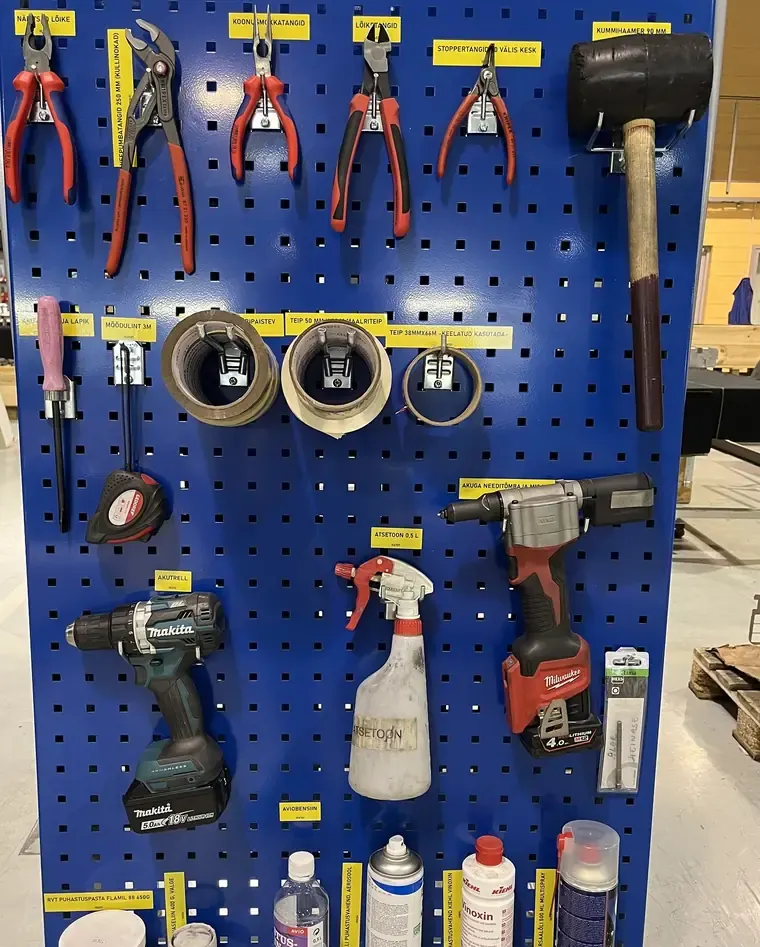
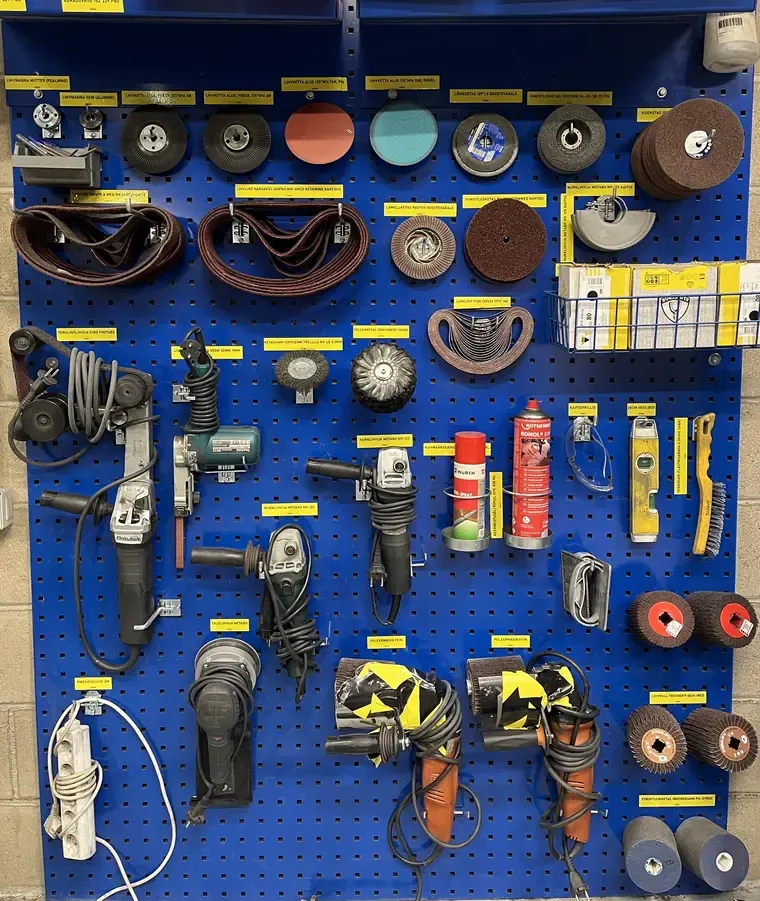
Everything in one place. Have a look around.
Your whole company, mapped in a minute
Departments, units and workstations in one tree. Watch a whole plant being set up.
- Type a name, press enterDepartments, units and workstations in seconds.
- Duplicate in one clickSimilar workstations, codes numbered for you.
- Paste a whole listFrom Excel or an email, all added at once.
- 1See where help is neededNew findings show up right on the workstation.
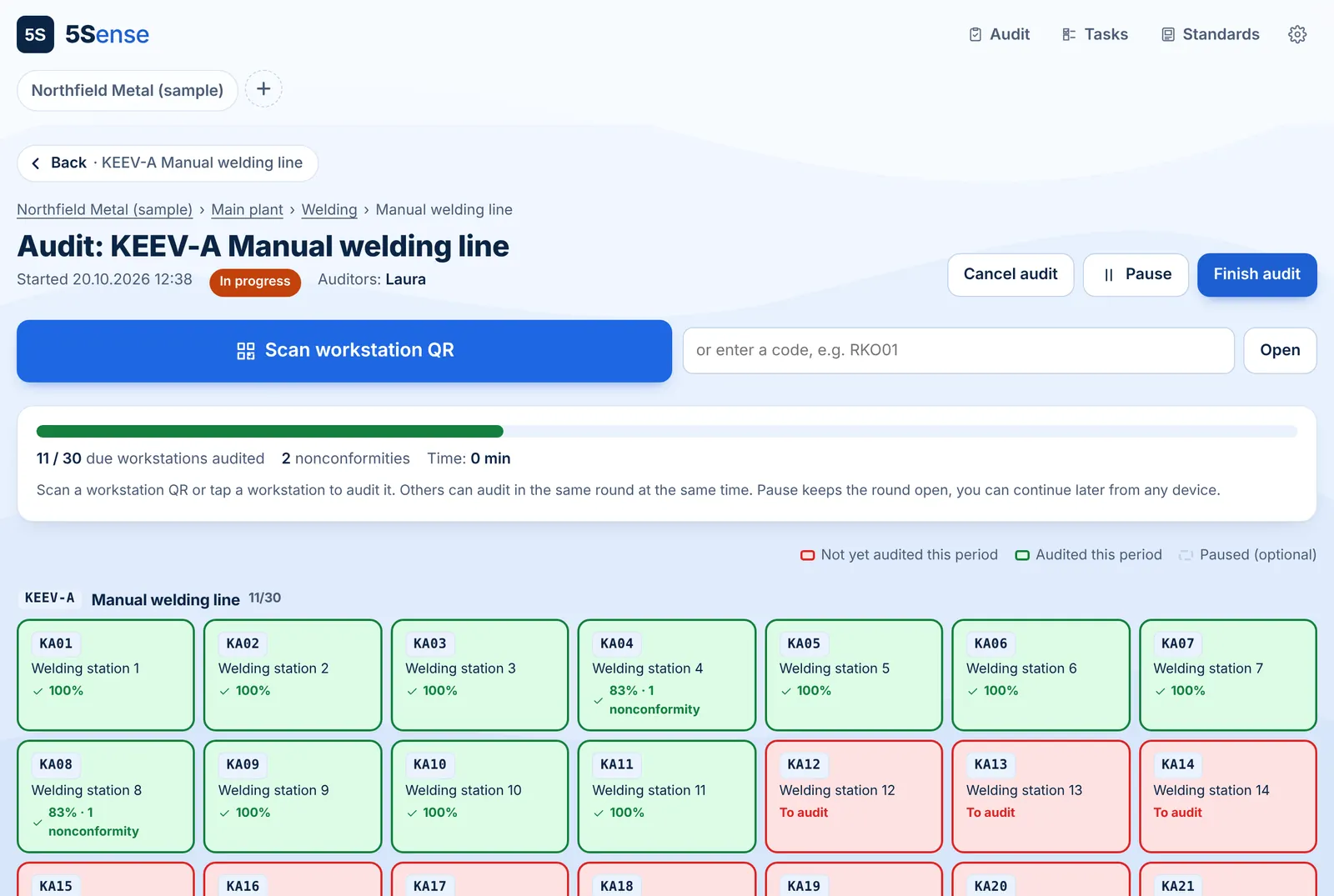
Audit status across the whole plant
Green passed, red has findings to fix, grey is due. Open any workstation to see its audit against the standard.
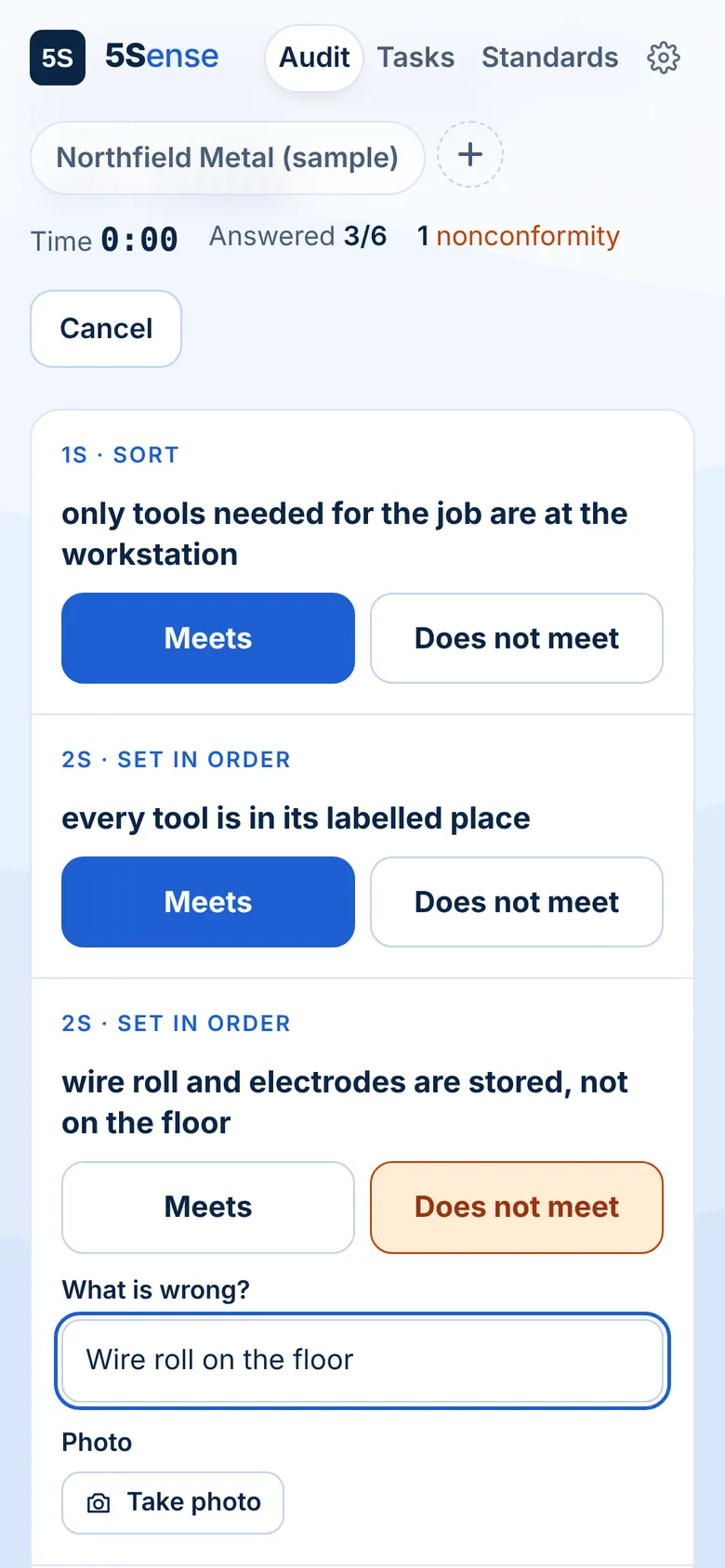
The audit fits in your pocket
One question per screen, the standard photo always in view, and a photo of any finding in one tap.
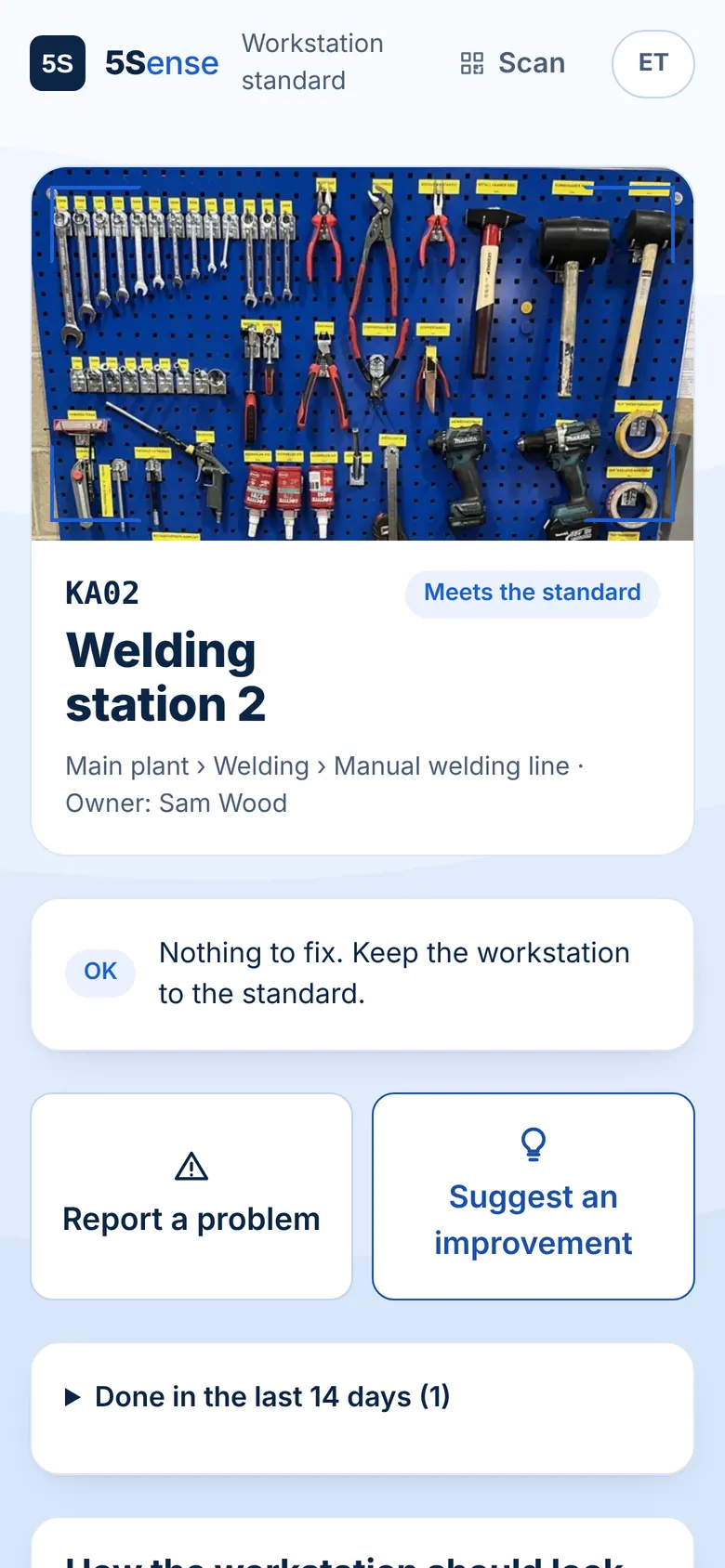
What the worker sees
Scan the QR code at the workstation: see the standard and what needs fixing, report a problem or give an idea. Their name is optional. No account needed.
Ready-made audit templates
Start with a built-in template for general 5S, assembly, welding, CNC machines, warehouse or office. Every question belongs to one of the five S's. Adjust it to your plant, or keep it as it is.
Improvements, from finding to fixed
Every finding and every reported problem lands here, with a photo and a workstation. Close it with an after photo.
See progress, share the numbers
Trends for every workstation, department and site. Export to CSV, which opens in Excel and loads into Power BI.
Audits people don't dread.
When an audit feels like a fault-finding round, people hide problems. 5Sense treats every finding as an improvement for the workstation, not a mark against a person.
- Findings belong to the workstation, not to a name.
- Anyone can suggest a better way, and it can become the new standard.
- Trends show progress made, so the team sees what they've achieved.
- Recurring issues are flagged, so you fix the cause, not the person.
You don't need a safety department to do 5S well.
The production manager, a team lead or the owner can set up and keep the whole system going alongside their real job.
Set up by one person
Describe your structure and first standards yourself. No consultant, no implementation project.
No training
If you can take a photo and write a sentence, you can use it. So can your team.
Only 5S
No form builders or modules you'll never use. Just structure, standards, audits and improvements.
Your data stays yours
Export everything to CSV whenever you need to. It opens in Excel and loads into Power BI.
One price for the whole company. Not per head.
Most audit tools charge for every user, so access ends up limited to a few people. With 5Sense, everyone in the company is included.
- Unlimited users and workstations
- Structure, standards, audits and trends
- CSV export for Excel and Power BI
Frequently asked questions
We have introduced 5S before, but it did not last. What is different here?
In most companies, 5S loses momentum after the launch because every follow-up depends on one manager. 5Sense assigns each audit finding to the workstation where it was found, with a photo and a due date. The team sees it on site and closes it. The manager only steps in when a task is overdue.
Is 5Sense also suitable for small companies?
Yes. 5Sense works the same way for a single workshop as for a company with several sites. It does not require a dedicated 5S or HSE specialist: one person can set up the structure, standards and audits. Pricing is per company rather than per user, so it stays affordable at any size.
Do we need 5S expertise to get started?
No. Ready-made audit templates based on the five S's are included and can be adapted to your workstations. A workstation standard consists of a reference photo and a short description.
How long does the initial setup take?
Departments and workstations can be added in minutes by typing, duplicating or pasting a list. Each workstation standard takes a few minutes. Most companies start with one area and extend from there.
Our operators cannot use personal phones on the shop floor.
They do not need to. One shared tablet or screen per area is sufficient. Scanning the workstation QR code shows the standard and open tasks, and allows reporting a problem or suggesting an improvement without an account.
Why not use Excel or a general audit app?
Spreadsheets require someone to distribute and follow up every finding manually. General audit apps are designed for any type of checklist and are typically priced per user. 5Sense is built specifically for 5S and includes unlimited users.
How are audit results used?
Findings are recorded against the workstation, not against individuals. Recurring issues are highlighted so the root cause can be addressed. The purpose is continuous improvement, not performance rating.
Can we export our data?
All data can be exported to CSV at any time. The file opens in Excel and loads straight into Power BI.
Your first standard is five minutes away.
Join the beta, describe one area and see how it feels. Free during the beta, no demo call, no card.