A workstation standard is a photo and a sentence
Take a photo of the workstation in order. Write how it should look. Pick a checklist. The standard is live at the workstation through a QR code, and changing it takes a minute, not a print run.
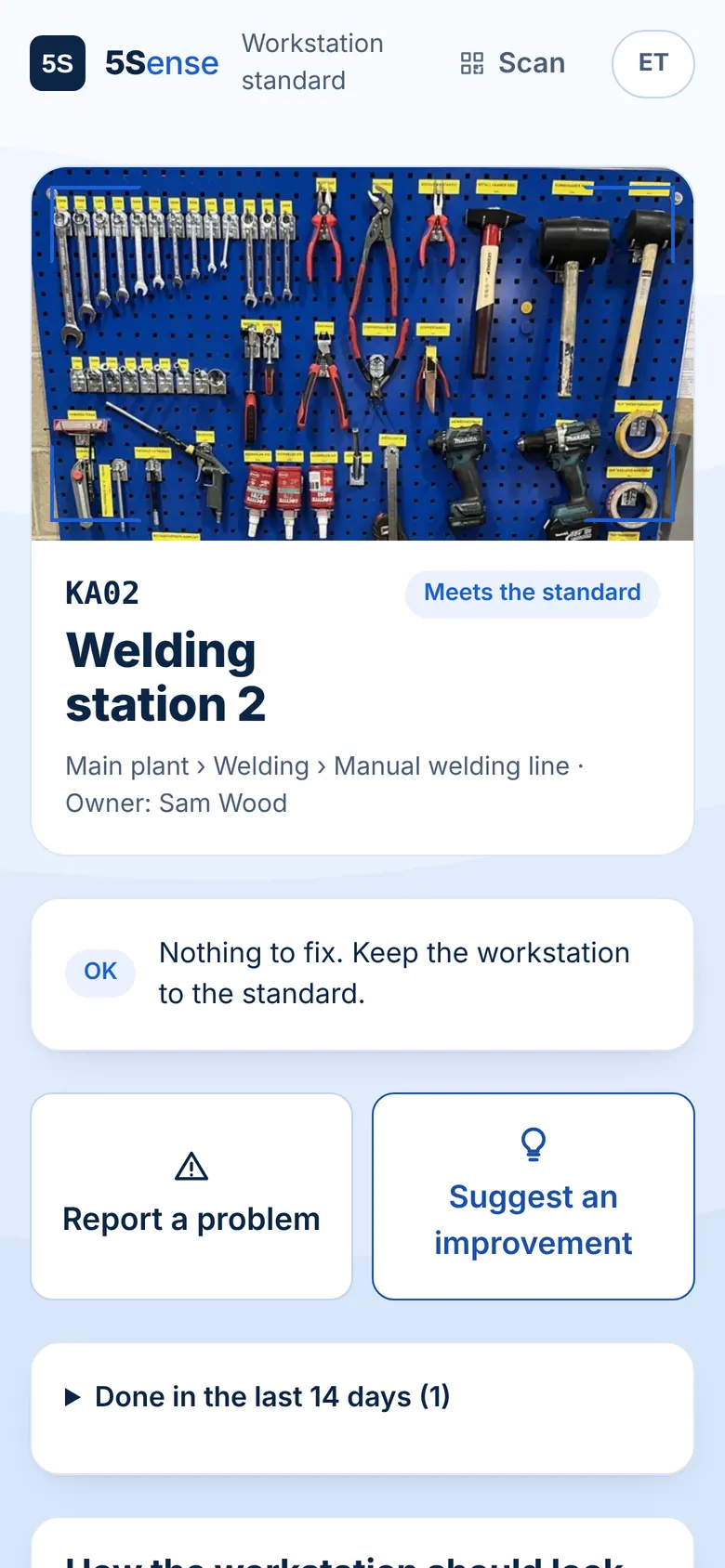
Standards on the floor, not in a binder
Minutes per workstation
Photo, a few lines, a checklist. Copy a finished workstation to set up the next one the same way.
Always the current version
The QR label never changes. What workers see is always the latest standard.
Workers take part
From the same page workers report a problem or suggest an improvement, and later see whether their idea was taken into work.
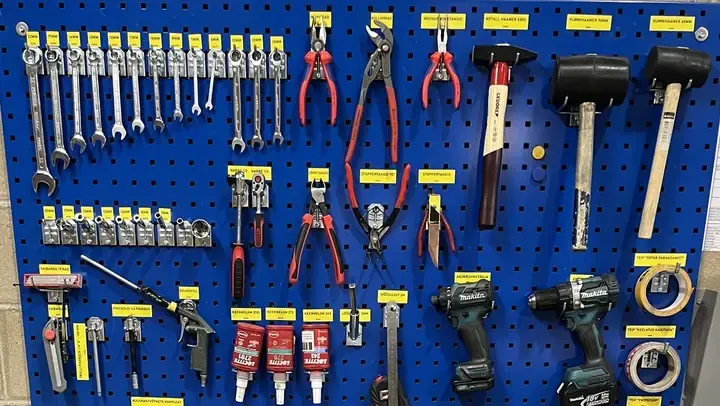
An example standard
Every tool and consumable has a place on the board under its own yellow label. Take only what the job needs and put it back straight after use.
Top: wrenches and sockets in size order, pliers and hammers. Middle: cordless drills, thread lockers and cleaning supplies in their holders. Bottom: extension cord and welding clamps.
A broken or banned tool is marked with the matching tape and handed to the supervisor. At the end of the shift the board, bench and floor are clean.
Need a paper version first? Free workstation standard template
Common questions
What goes into a workstation standard?
A photo of the workstation in order, a few sentences on how it should look and what to do after use, and a short checklist that auditors use.
How do workers see the standard?
Every workstation gets a QR label. Workers scan it with their phone camera and see the standard and anything that needs fixing. No app to install and no login.
What happens when the standard changes?
Edit it in 5Sense and the change is live at the workstation immediately. Nothing to reprint or laminate.
5S that makes sense.
Open the demo and look around a sample plant. No sign-up, nothing to install.