A 5S audit app that sends every fix to the right person
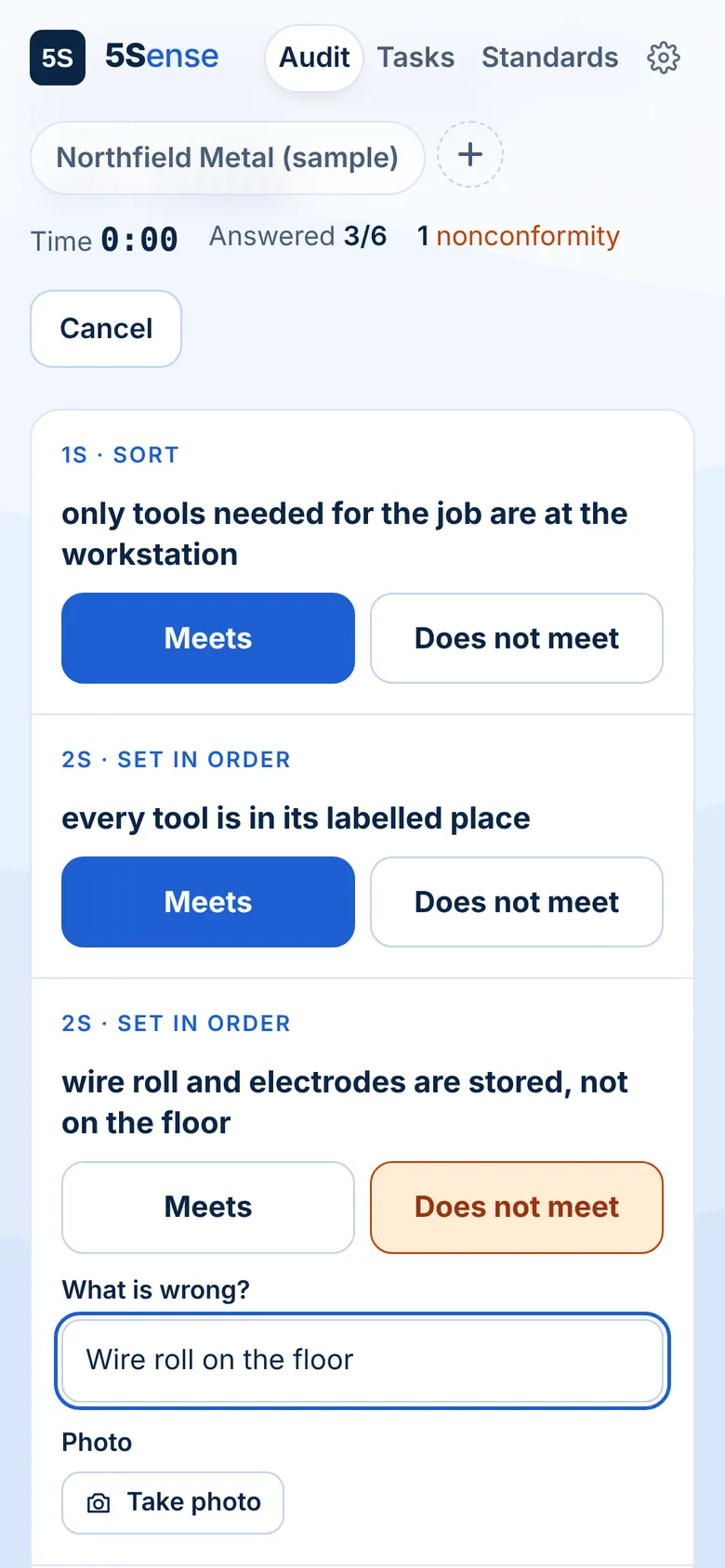
Walk the floor with your phone. Scan a workstation, tap Meets or Does not meet for each S, add a photo of the problem. The fix lands at that workstation before you reach the next one.
Audit the whole area in one round
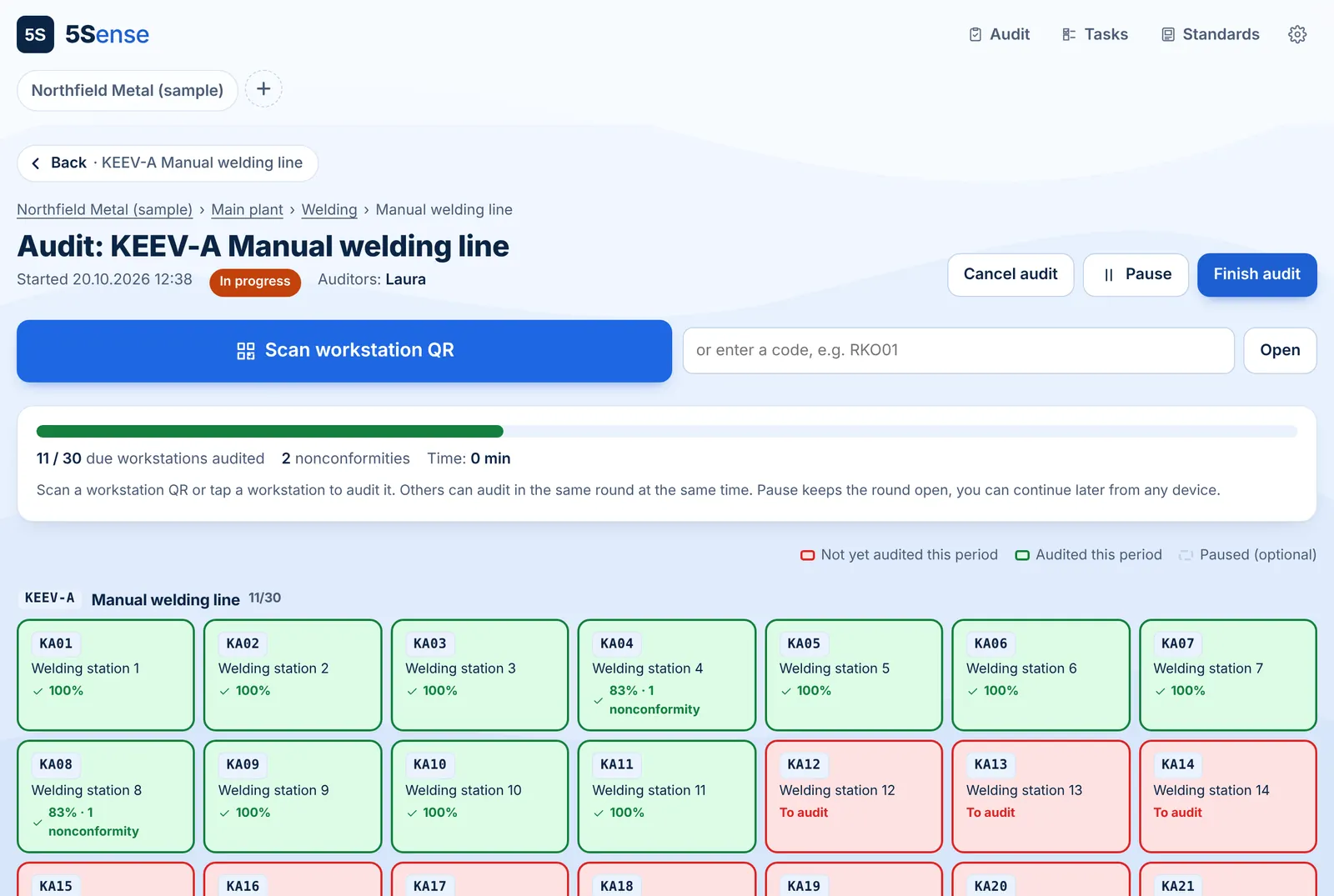
Start an audit for a department or a line. Every workstation that has not been audited this period is red and turns green as you go. Scan QR codes in any order, pause and continue tomorrow, or let two auditors share the work.
Built around the 5S
Every checklist item belongs to Sort, Set in order, Shine, Standardize or Sustain. Results show which S is weakest, so you know where to start.
Recurring audits that make sense
Set "Welding department, every two weeks". The period is done when every workstation in the department has been audited. Missed periods stay visible.
Fix the spot, not the person
When the same item keeps failing, 5Sense flags it as a repeat issue. Record what you changed to fix the cause and see whether it holds.
One task per problem
A finding becomes a task for that workstation with a due date. No duplicates when the next audit finds the same thing.
Ready-made checklists
Start with 5S checklists for general, assembly, welding and machining workstations, then adjust them to your floor.
Results by area
Score, compliance by S, fixes and overdue tasks for every workstation, line, department and plant.
Common questions
Do auditors need an account?
No. Auditors open a link and sign in with a PIN. You can give every auditor a personal PIN or use one shared PIN for the whole factory.
Can two people audit at the same time?
Yes. Several auditors can work in the same audit round. Every workstation turns green as soon as anyone has audited it.
What if we can't finish in one go?
Pause the round and continue the next day from any device. Workstations already audited stay green.
Does a new audit create duplicate tasks?
No. Each workstation has at most one open task per checklist item. If an item passes, the old task is closed by the audit. If it fails again, the task is marked as repeated instead of creating a new one.
5S that makes sense.
Open the demo and look around a sample plant. No sign-up, nothing to install.